

Stēre
by Orange Mocha Software
Stēre is a lightweight macOS agent that adds schedule-driven control to school Macs, on top of Jamf School or Jamf Pro.
Profiles are created in the Stēre web portal, using a step-by-step editor with a single summary to review before saving. Apps can be picked from a global app catalogue or taken from any Mac’s installed apps with IDentity, Stēre’s helper app. Jamf delivers Stēre and its profiles to your Macs, then Stēre switches restrictions on and off automatically at the times you set, with no effort from teachers.
What it controls:
• Apps: allow only approved apps, or block specific ones, with optional force-quit when a lesson starts (closing browser tabs left open from before class).
• Networks: block VPNs, hotspots and USB tethering, and restrict Macs to approved Wi-Fi and Ethernet ranges.
• Devices: eject USB drives, network shares and cloud storage drives, ideal for exams.
Schedules run by day, time or term dates, with public holidays skipped automatically.
Students see a five-minute countdown before restrictions change, and a clear explanation whenever something is blocked. Printing and PaperCut always keep working.
Stēre is built for real classrooms: profiles are digitally signed and protected against editing or deletion, the agent restores itself if removed, enforcement works offline, and a menu-bar app shows students exactly what’s active. The same web portal gives schools a dashboard with device status and tamper alerts, plus a signed emergency unlock for exams.
Deployment is two steps in Jamf: a permissions profile and a package. Runs on Apple silicon and Intel Macs with macOS 15.6 and later.
Developed in Australia by Orange Mocha Software and available to schools worldwide. AUD $5 per device per year, all features included, with a 14-day free trial.
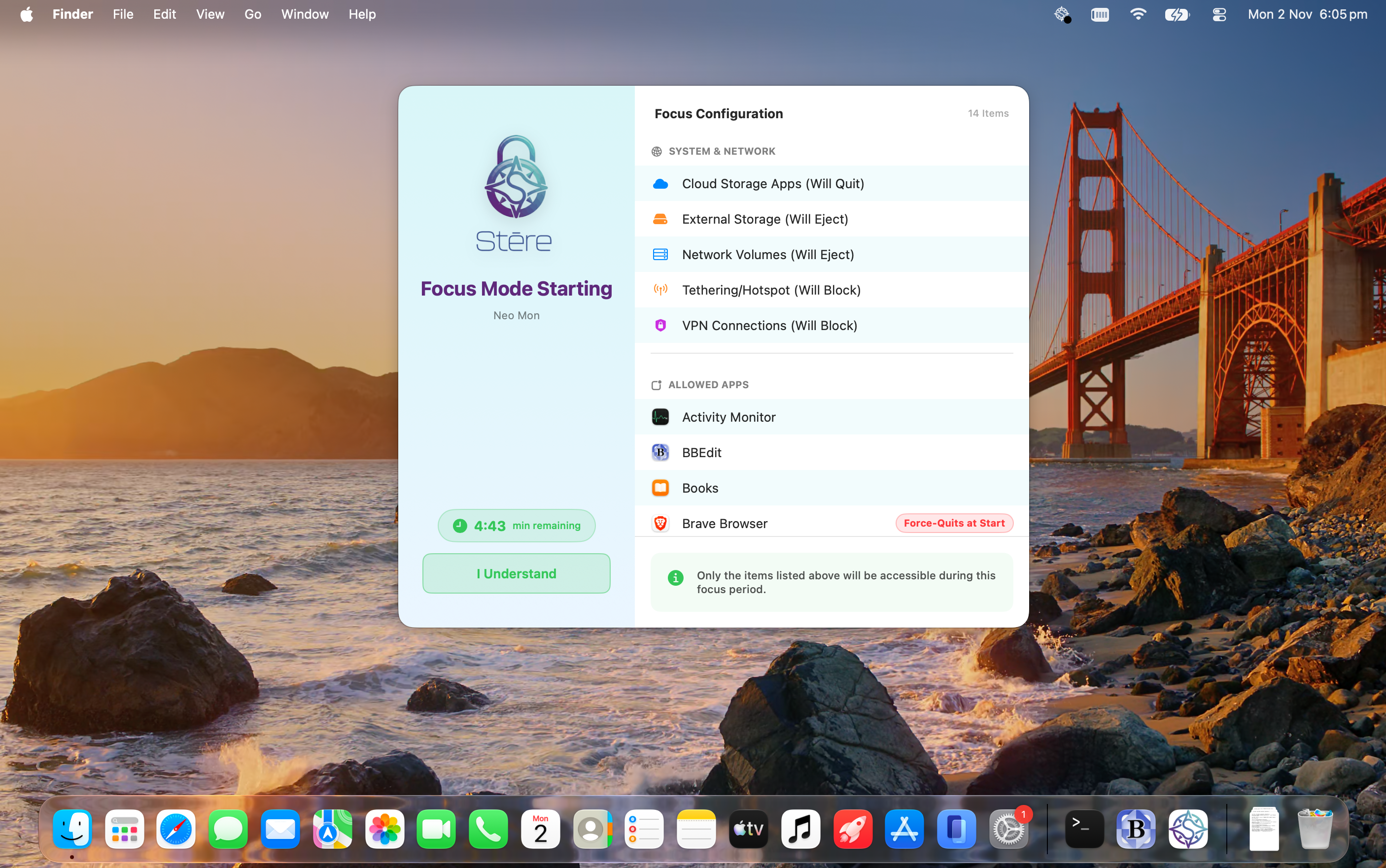
Before a profile takes charge, students see a five-minute countdown listing every app that will close, so they can save their work. Apps opened during the countdown are added to the list straight away. When the profile starts, Stēre can quit every open app or only the ones you choose, giving exams a clean start.
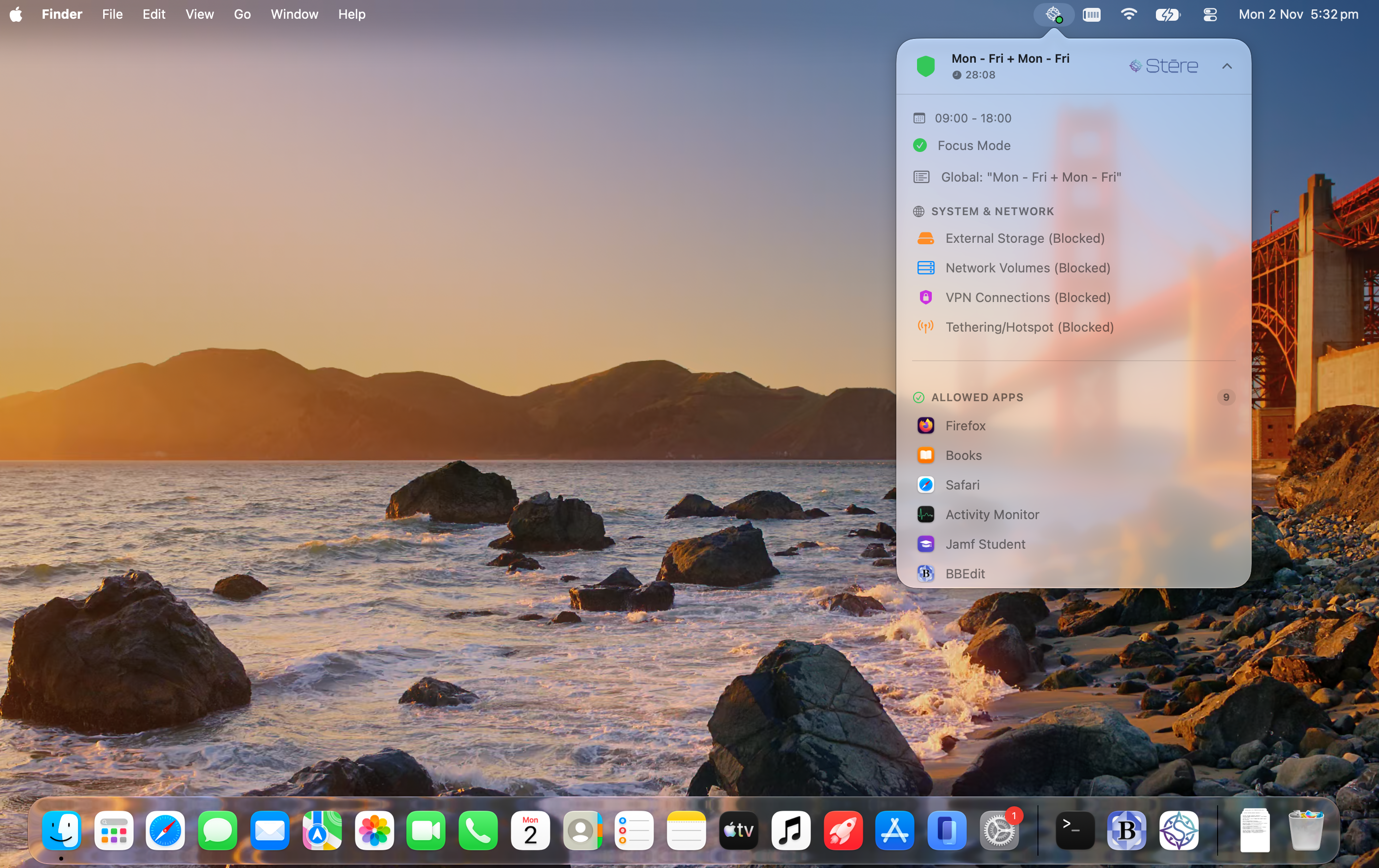
Stēre’s menu-bar app shows students exactly what’s in force, the active schedule, time remaining, external storage, network volume, VPN and hotspot status, and the full list of allowed/blocked apps. Any forbidden app, including System Settings, simply won’t open, and students can’t quit Stēre or switch it off.
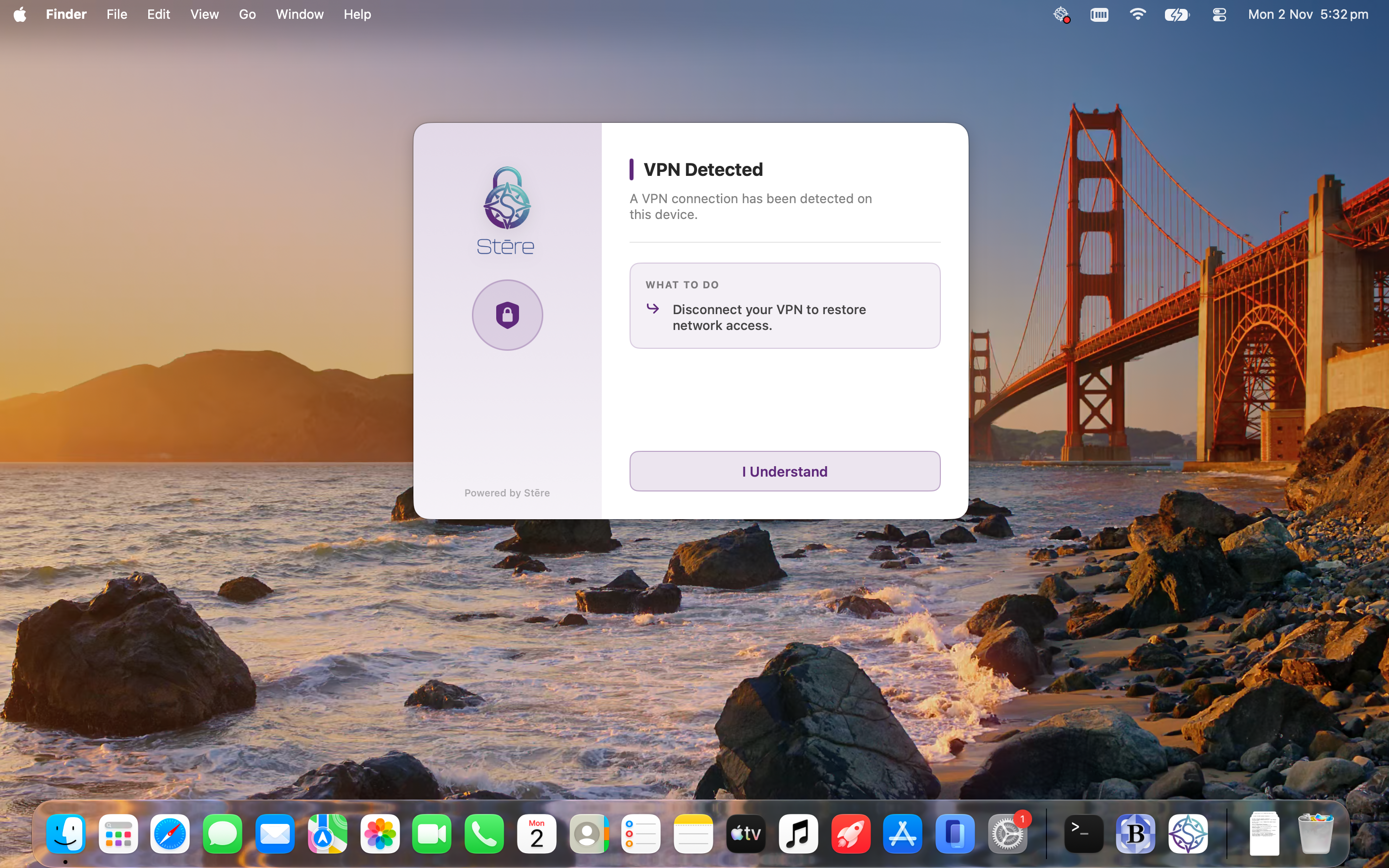
VPN connections set up in System Settings are allowed to connect, but all traffic through them is blocked until the student disables the VPN. Note: If you set up an application allowlist, VPN apps can’t be launched.
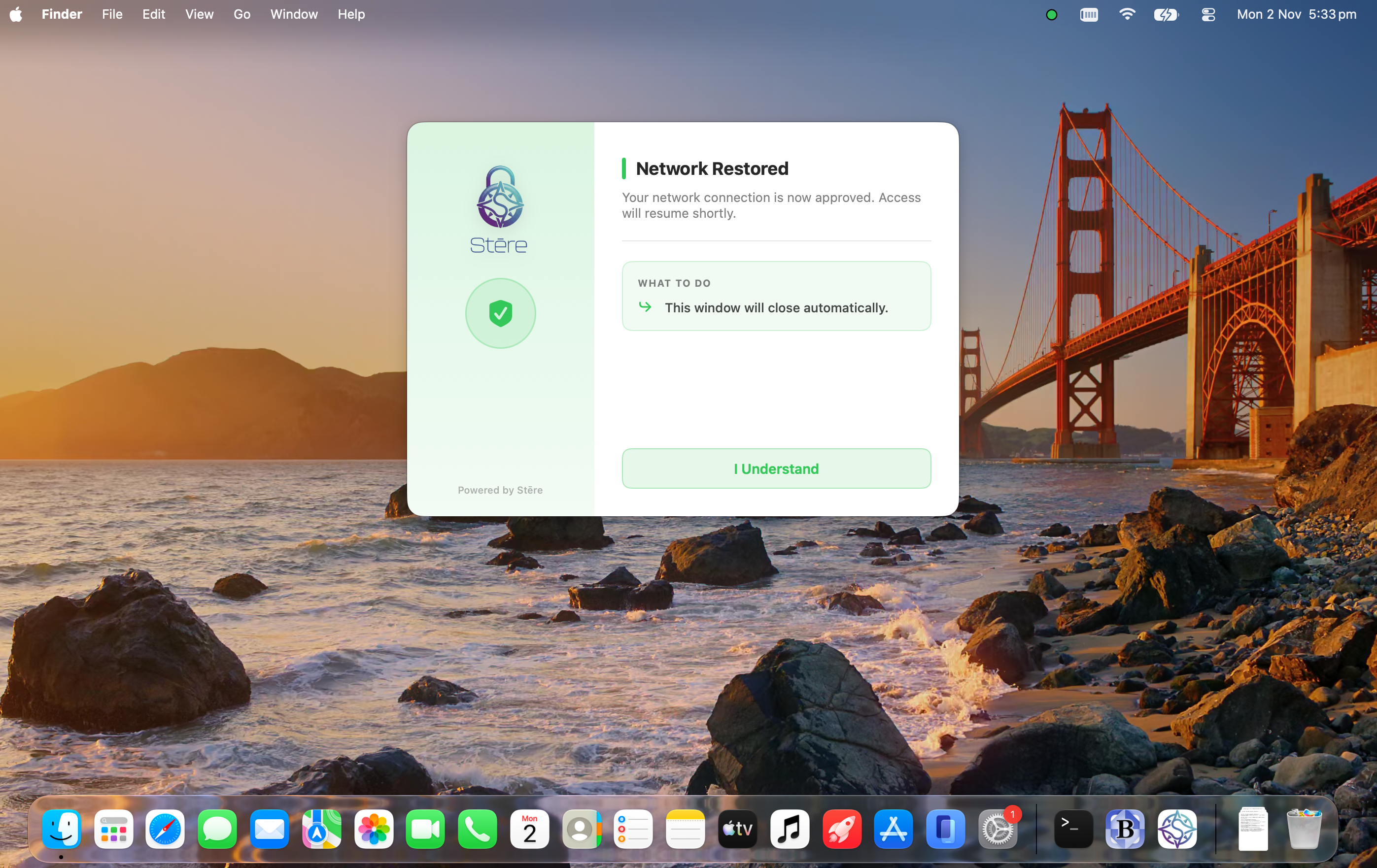
Network access returns as soon as the student disables it.
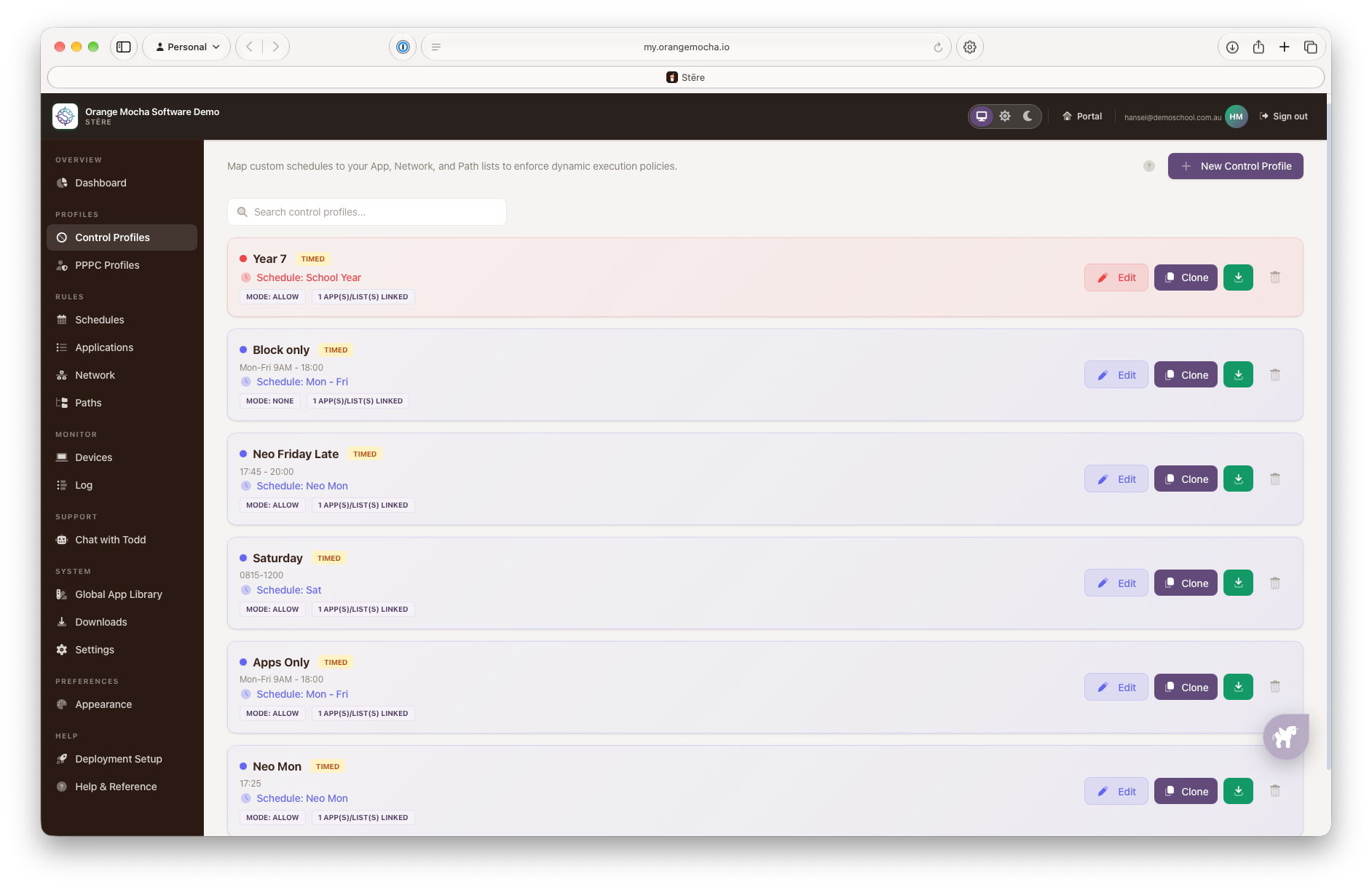
Stēre profiles are built in a simple step-by-step editor, with a single summary to review before saving.
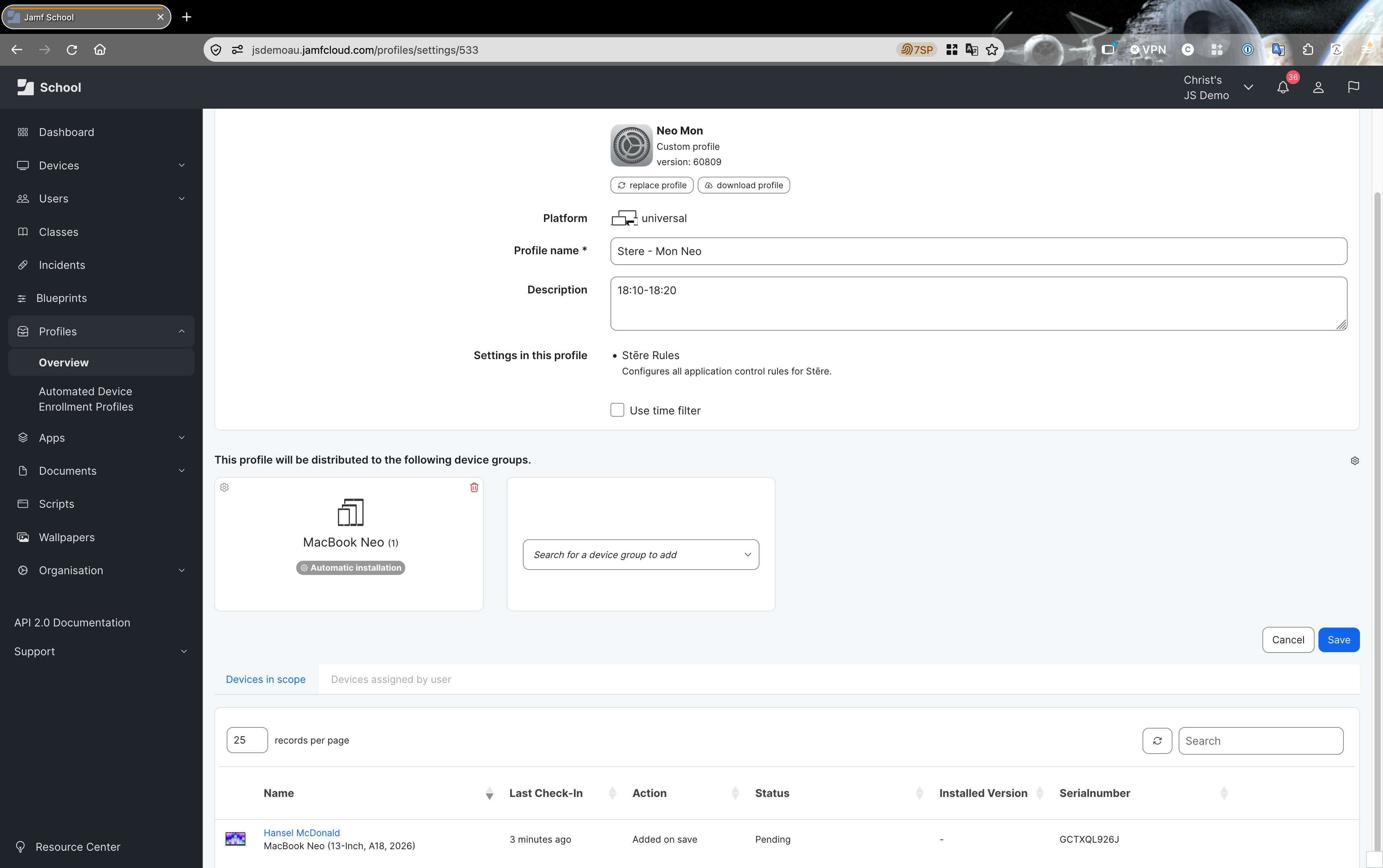
They are then exported and imported as custom profiles into Jamf.
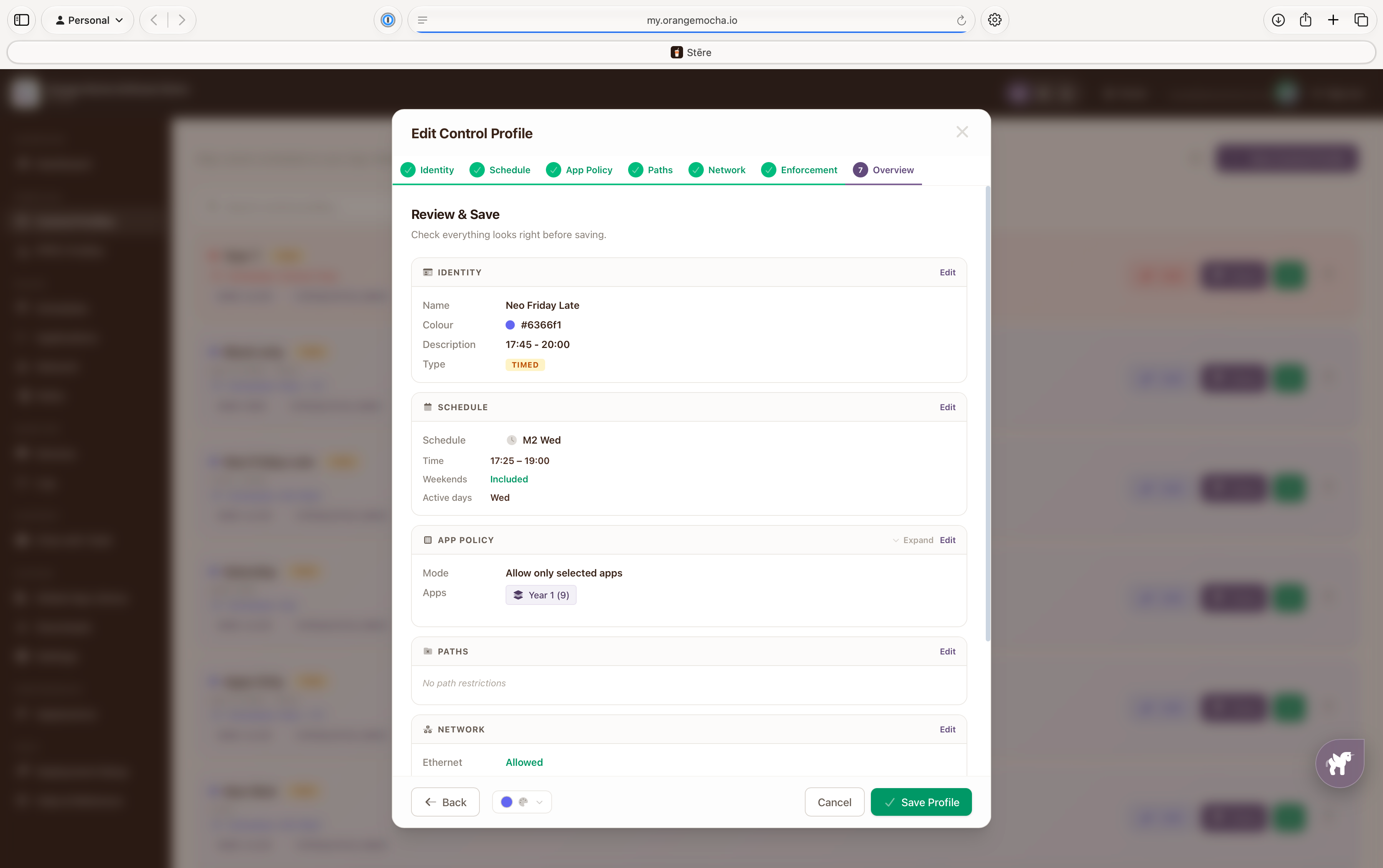
A Control Profile ties app, network and path rules to a schedule. Overlapping profiles resolve automatically, profiles with matching times combine into one, otherwise the one that started most recently takes charge, so an exam profile can run within the school day. Every element can easily be edited from the overview.
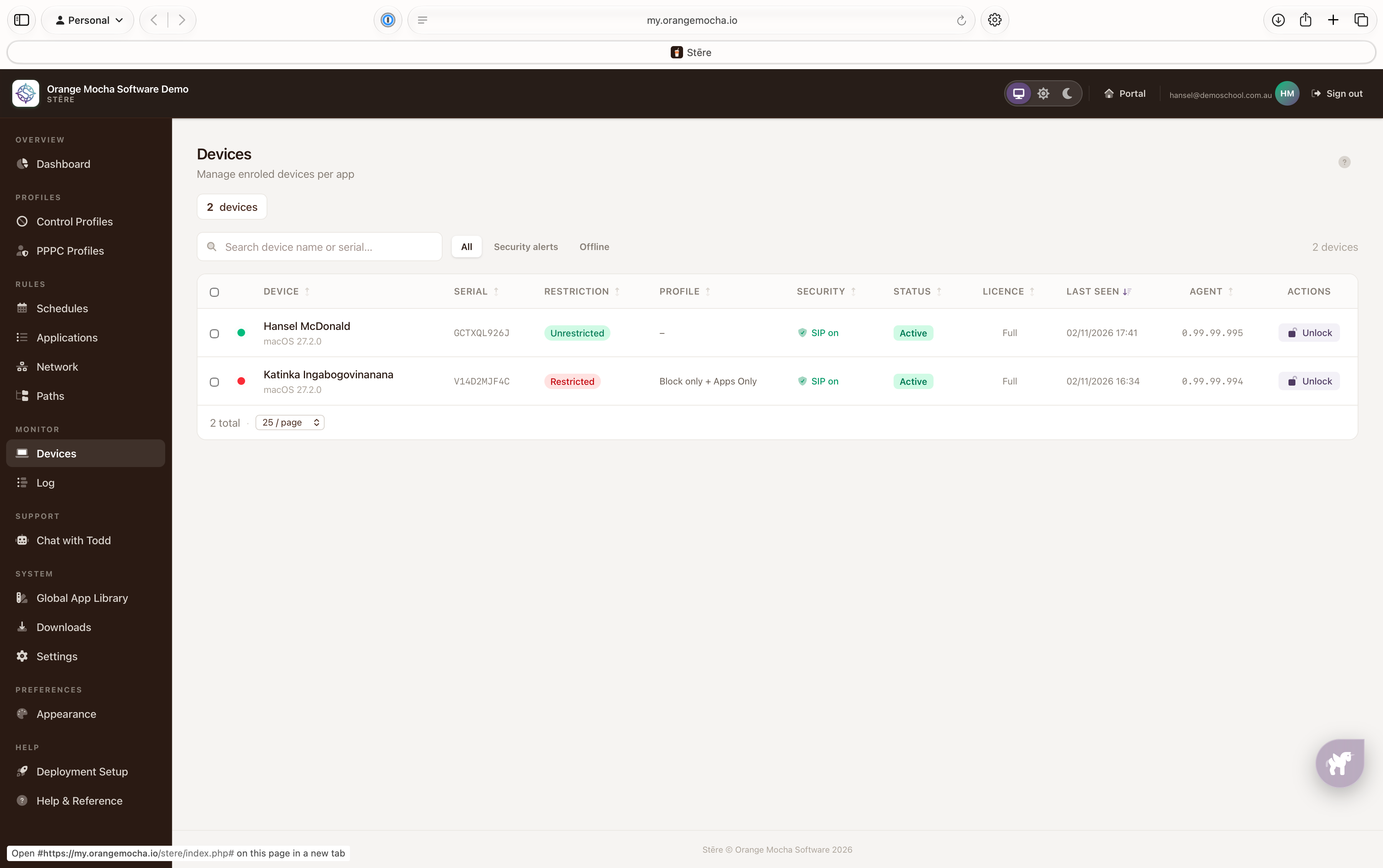
Each Mac checks in with the Stēre portal on a regular schedule and whenever something changes, a rule starts or ends, a profile is installed or removed, the network reconnects, or a user logs in. Each check-in, reports the Mac’s name, its macOS version, the Stēre version, which control profiles are active, and how long the Mac was offline. It also reports whether System Integrity Protection is on and flags tampering if a Stēre profile was deleted or edited (Stēre restores it automatically), or one installed by hand (which will be ignored) rather than through the MDM. Heartbeats contain no browsing history, app usage, location or personal files.
