

Harmony
by Harmony IT Inc.
Your Apple fleet lives in Jamf Pro. Your tickets, assets, software and employee requests live somewhere else. Every Mac issue becomes a context switch: open the Jamf console, find the device, check its state, go back to the ticket, type up the answer. Harmony closes that gap.
Why Harmony
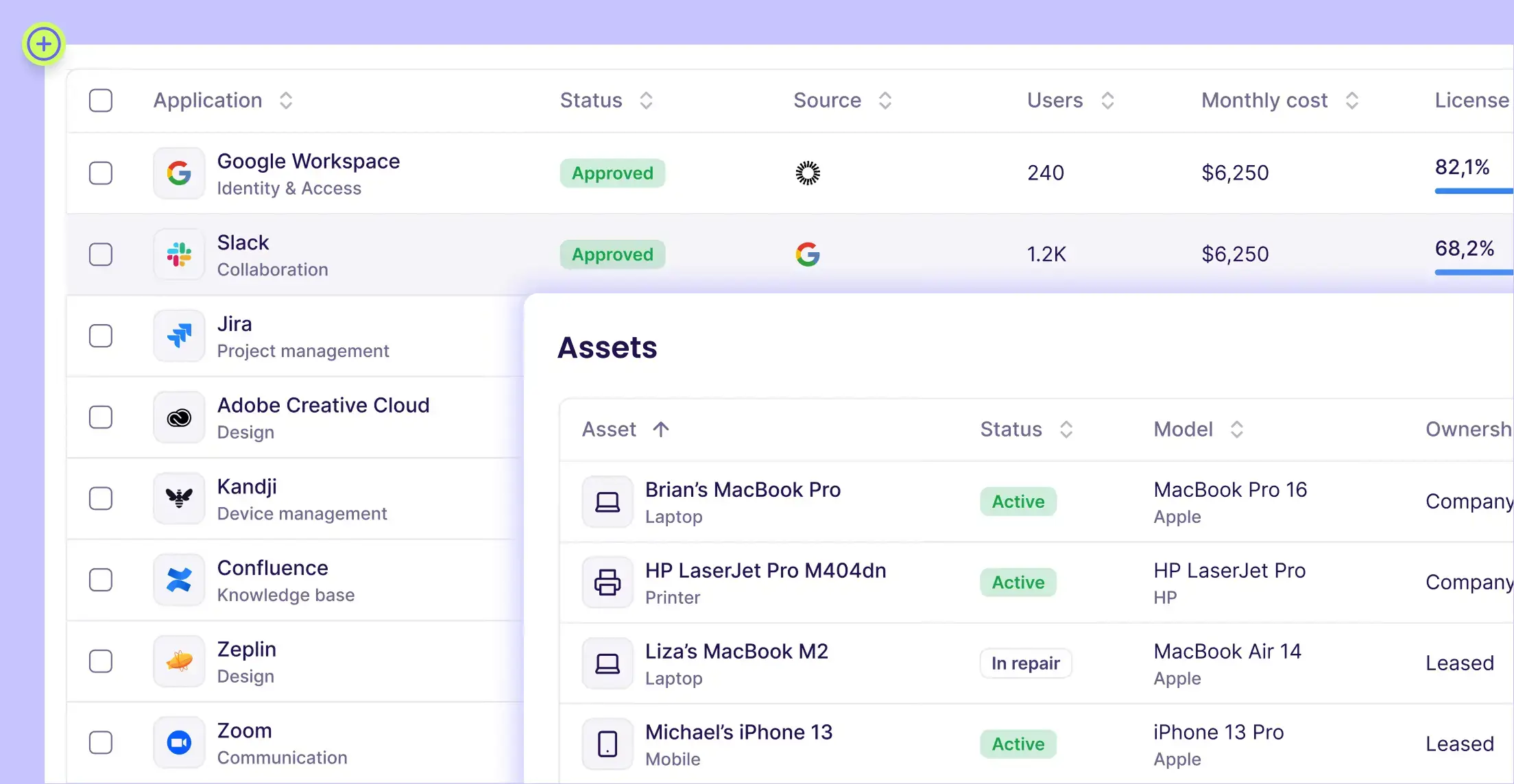
Harmony is an AI-native IT management platform for mid-market companies. It brings ITSM, IT asset management (CMDB), software and SaaS management, and workflow automation into one workspace, and puts AI agents in front of it that resolve employee requests directly in Slack and Teams. Connecting Jamf Pro turns your managed Apple devices into first-class records in that workspace, so the helpdesk, the asset team and the AI agents all work from the same live device data.
How it works
Harmony connects to Jamf Pro over the Jamf Pro API using an OAuth API client with scoped, read-mostly permissions. Once connected, it runs a sync immediately and keeps running on a schedule in the background, pulling computer and mobile device inventory into Harmony's Asset Management module. Devices are matched to employees, enriched with data from your other sources (HRIS, IdP, Apple Business Manager, EDR) and exposed to Harmony's workflow engine and AI agents.
Data synced from Jamf Pro
- Device inventory: device type, model, serial number, processor, memory, storage, network interfaces, partitions, battery health
- Compliance and security posture: FileVault encryption status, supervision, security settings, last check-in
- Installed applications per device, added to Harmony's software catalog
- Procurement and lifecycle: vendor, PO number, purchase price, warranty and lifecycle dates
- Location: building, city and country, even for devices without an assigned user
Actions Harmony can take in Jamf Pro
- Remotely lock a Mac or mobile device and retrieve the lock PIN
- Restart a device
- Retrieve a Mac's FileVault personal recovery key for a locked-out employee
- Deploy a custom macOS script: Harmony creates the script and a linked policy in Jamf Pro
- Dedicated Jamf workflow blocks (get device, list devices, get recovery key, update device) plus any Jamf Pro API endpoint from Harmony workflows
Where it shows up
- Unified asset inventory with live Jamf posture alongside Intune, Kandji, JumpCloud and other MDM sources
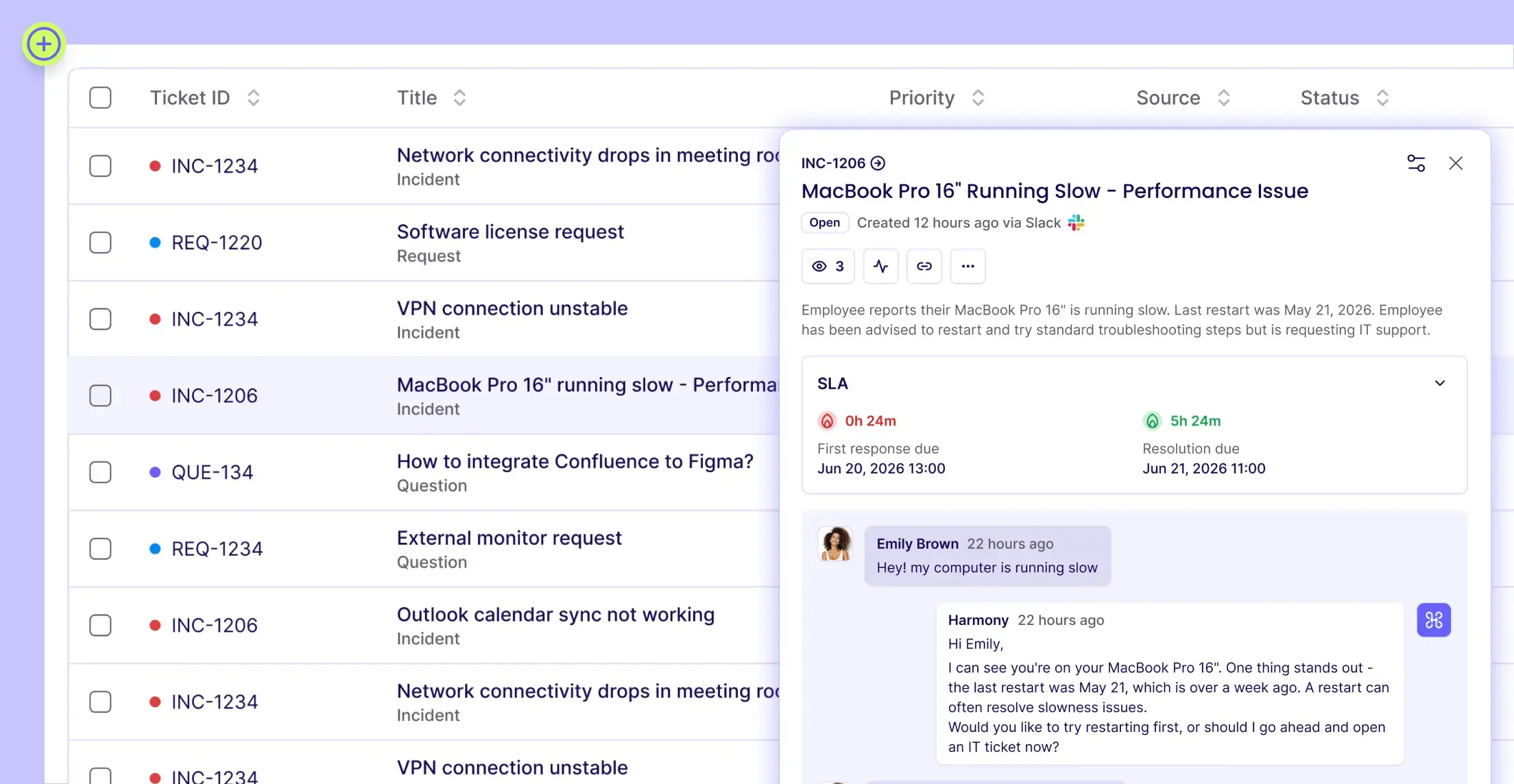
- Device context on every ticket, with a direct link back to the device record in Jamf Pro
- AI agents that classify a request and pick the right resolution path based on the device's actual state
Use cases
- Lost or stolen laptop: an employee reports it in Slack; Harmony locks the Mac with a secure PIN during the conversation.
- Lockout recovery: Harmony retrieves the FileVault recovery key and walks the employee through it, no desk visit needed.
- Repair or replace: purchase date, warranty coverage and hardware health on the asset page, so IT decides in seconds.
- Audit and compliance: encryption and supervision status across the whole fleet, reportable without opening Jamf.
- Onboarding and offboarding: device assignment, software footprint and lifecycle tracked per employee across their tenure.
Who benefits
IT and Service Desk managers who want one place for tickets and assets. Mac admins who are tired of being the human API between Jamf and the helpdesk. Asset and finance teams who need accurate, current device and warranty data. And employees, who get their Mac issues solved in chat in minutes instead of waiting in a queue.
Getting started
- In Jamf Pro, create an API client (Settings > System > API Roles and Clients) with the permissions listed in the Harmony docs.
- In Harmony, go to Settings > Integrations > MDM > Jamf Pro and click Connect.
- Enter your Jamf Pro URL, Client ID and Client Secret. Your devices appear in Asset Management within minutes.
Requires Jamf Pro (Jamf Now does not expose the required API) and a Harmony account. Credentials are encrypted at rest and in transit, API access is logged, and the connection can be revoked at any time.
AI-native ITSM and asset management with live Jamf Pro device data and actions
AI-native ITSM and asset management with live Jamf Pro device data and actions
